
Foreword
Black Friday season is coming, and the deepest discounts always sit on yearly plans. That is exactly where the risk lives too. Twelve months is a long time to spend on a node you only tested for five minutes at signup. I compared two providers’ Black Friday offers earlier, in Comparison of VMRack and BandwagonHost for Black Friday — whichever you pick, the checklist below applies. It takes ten minutes, and it catches most of the problems that support tickets cannot fix later.
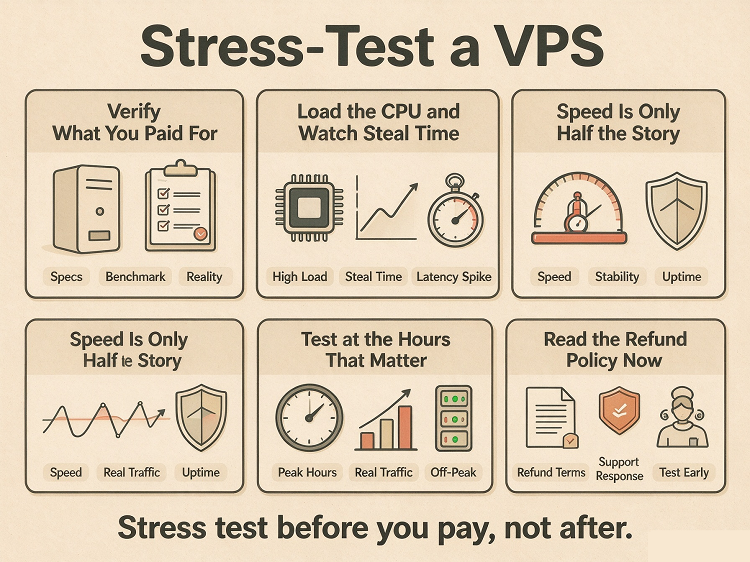
1. Minutes 0–2: Verify What You Paid For
Log in and check the raw numbers before any benchmarking:
nproc

free -h

df -h

lscpu | grep "Model name"
Do the cores, RAM, and disk size match the order page? A plan that is short on specs at signup will not grow into them later. This step alone filters out the sloppiest providers.
2. Minutes 2–4: Load the CPU and Watch Steal Time
Run a short CPU load in one terminal, and watch top in another:
sudo apt install stress-ng    # Debian/Ubuntu

sudo dnf install stress-ng    # CentOS/Rocky/Alma

stress-ng --cpu $(nproc) --timeout 120
While it runs, check the st column in top. That is steal time — the share of CPU the host takes back from your VM. A brief spike while your own load runs is normal. High steal while the machine is idle means the node is oversold, and no upgrade will fix it.
3. Minutes 4–6: Disk — Speed Is Only Half the Story
dd if=/dev/zero of=./test.img bs=1M count=2048 oflag=direct

rm ./test.img
Two things matter here. The absolute number, and the shape of the curve. Some cheap NVMe plans start fast, then collapse once the write cache fills. A “1 GB/s” disk that drops to 80 MB/s after ten seconds will hurt your database far more than the headline number suggests. For a deeper look, run fio with a longer workload.
4. Minutes 6–9: Network — Test at the Hours That Matter
ping -c 20 your.server.ip

mtr your.server.ip --report
Ping from where your users live, not just from your own desk. Then re-test at peak hours — a route that is clean at 10 a.m. can fall apart at 9 p.m. If the MTR output shows strange detours or spikes on certain hops, go one level deeper: my earlier guide, How to identify genuine CN2 lines? A step-by-step guide with illustrations on route analysis, walks through reading routes with nexttrace.
5. Minute 10: Read the Refund Policy Now, Not Later
The refund policy is your only escape hatch once the invoice is paid. Check three things before you pay, not after: how long the window lasts, what conditions apply, and whether it covers yearly plans or only monthly ones. Policies vary widely between providers, and the differences are easy to miss on the order page.
Conclusion
Ten minutes here beats twelve months of regret. Specs, steal time, disk curve, route quality, refund terms — five checks, one coffee. It is the routine I hold myself to as well: the yearly machines I keep running come from VMRack’s self-built data center at Equinix LA4 in Los Angeles, and every one of them went through this list before I paid. No checklist can guarantee a perfect provider, but skipping it guarantees that any problem will be yours to live with.
Thank you very much for reading to the end!